What's new

If you’re having uconnect issues…

Not both unless I remove my snowblower! The new one stays outside for now.

I sense a friendly sibling fight between the two cars over a spot in the garage.;)
(either that, or one of them is going to ram the snowblower!)
 
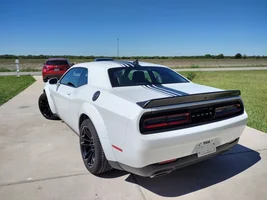
Well my 2016 charger is in the garage along with the Vette. New Dodge sits out side. Later RJD
 
Thanks to Google I got it connected. It wasn't the car, it was the phone. Had to delete the Amazon app and download it again along with a a hard close of it in my open pages. It even works now on my 2020 4Runner. Isn't technology wonderful?:eek:
 
I confirmed that pushing the volume button and holding for nearly 30 seconds did reboot the Uconnect, it clearly showed the startup screen etc. The two hand push both buttons worked faster but it just shut off, came back to the screen that it was on.

For the visual learners the reset info (its' brutal to describe going through menus and buttons on a screen)

Vehicle Menu

View attachment 1391

Tap reset to get to another screen, it doesn't go straight to reset ! The Uconnect restart is the first option

View attachment 1392

Bottom of that menu is the full reset, clears all the settings. I did this this AM, This was also reported to somehow awaken the Drag and or Track modes in the updated cars.

View attachment 1393


Enjoy

I did the Factory reset, left a few options alone deleted my profile and all the audio settings. The 4g signal took till today to connect, didn’t have to reset just wait now the Dodge app is communicating again. Biggest thing Car play is connecting better, the phone pops up car play on the lock screen it wasn’t before. Nav pupped up a few unfamiliar screens seems to be snappier. It’s only been about 24 hrs. Definitely do this before bringing it to dealer
 
📢 Support the above vendors that support this site!
To become a Supporting Vendor: ✉️ Message Dragoon

Trending Topics

Back
Top Bottom